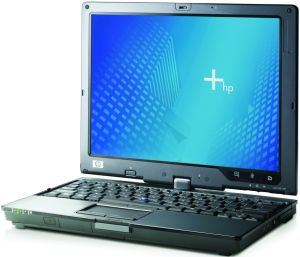
So a couple of days ago I found out that my family had an old small HP laptop laying around, and as the geek I am I couldn't just leave it there! It's a pretty cool laptop too, touch-and turn-able screen it's pretty badass. But of course someone (my dad) had stolen the hard drive. I've always wanted a small and handy laptop I can use while I'm watching T.V, so I searched the web on how I can make use of this old computer that I can't install operating systems on. And the answer, Ubuntu (9.10) netbook remix. Apparently you can install this on a USB stick, and I have plenty of those around!
So I installed it, inserted it, booted it up and like from a Disney tale it was working! (magically!) So now I thought I'd share this with other people who have laptops collectiondust everywhere around the house!
RECIPE:
- A 2gb (or larger) USB stick
- A working PC, to install from
- A teeny, tiny bit of tweeking (explained later)
- Installation files:
- Insert your USB stick into the working PC, and start up the Universal USB installer.
- Select: Ubuntu 9.10 Netbook remix from the drop down menu.
- Browse for the .iso file.
- Start the installation
- Wait about 5-15 minutes
- Eat pie (not required)
- Boot up the old computer without the USB stick.
- Press F10 lots of times as soon as you've pressed the power button
- Eventually you'll get a blue screen with some menus at the top
- Go into Start up/boot options
- Select USB hard drive as first
If you've done it all correctly you should get a screen asking to Run Ubuntu, just click Enter. Wait a while and you get to the main screen, start the wireless network and surf the world!
To be honest, this works very well! Until google chrome OS comes out I'm using this computer for everything, everyday! Hopefully you'll like it as much as I do!
Thanks for reading!
Source list:
Pendrive linux
Notebook check (image)

No comments:
Post a Comment